This guide provides steps to manage approvals for invoices as either a sender or receiver.
Select Entity: Locate and click on the Entity button in the top right corner of the page.
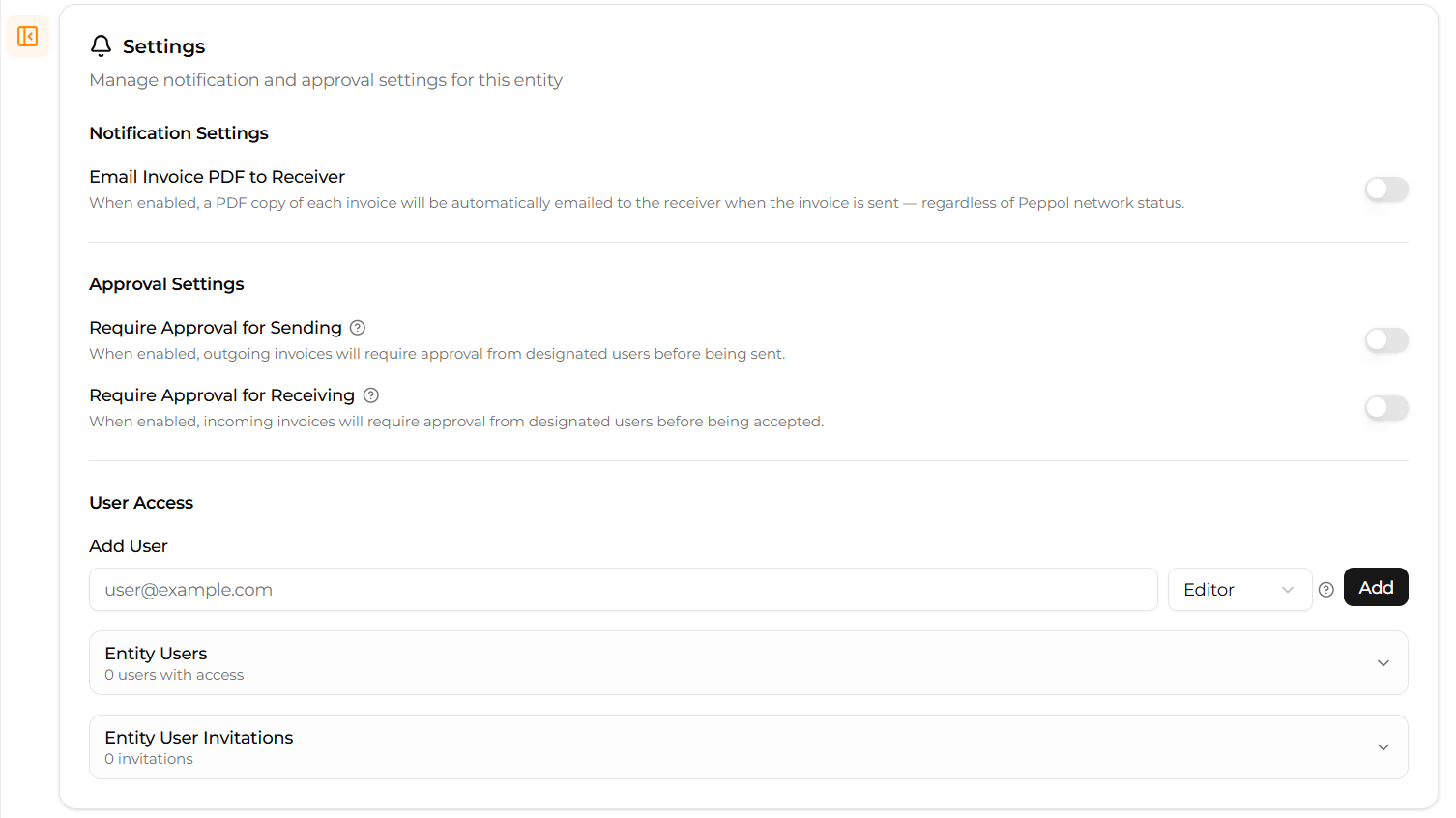
Access Entity Settings: Click on the small arrow square box next to the Entity button. This will redirect you to the entity settings page.
Find Approval Settings: Scroll down on the entity settings page until you locate the "Approval Settings" section.
Toggle Approvals: In this section, you can turn the option for approvals on or off. When enabled, invoices will first go to the Stages section, requiring your manual approval before being sent or received.
Was this article helpful?
That’s Great!
Thank you for your feedback
Sorry! We couldn't be helpful
Thank you for your feedback
Feedback sent
We appreciate your effort and will try to fix the article